Quick Settings
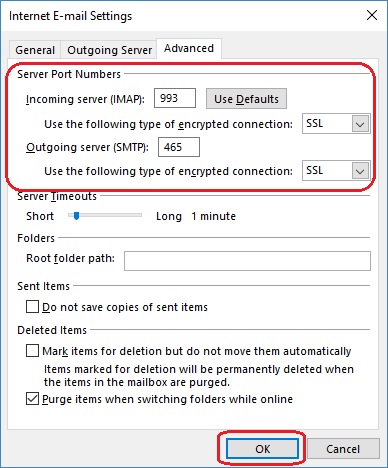
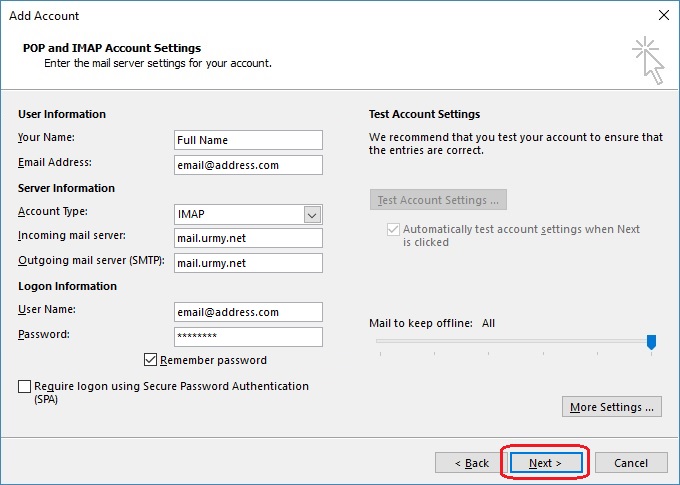
When using secure mail these settings need to be used:
Secure host:
mail.urmy.net
Incoming POP mail server port: 995
Incoming IMAP mail server port: 993
Outgoing SMTP mail server port: 465
Non secure can be your email domain and these ports:
Host: mail.yourdomain.com
Incoming POP mail server port: 110
Incoming IMAP mail server port: 143
Outgoing SMTP mail server port: 25 or 366
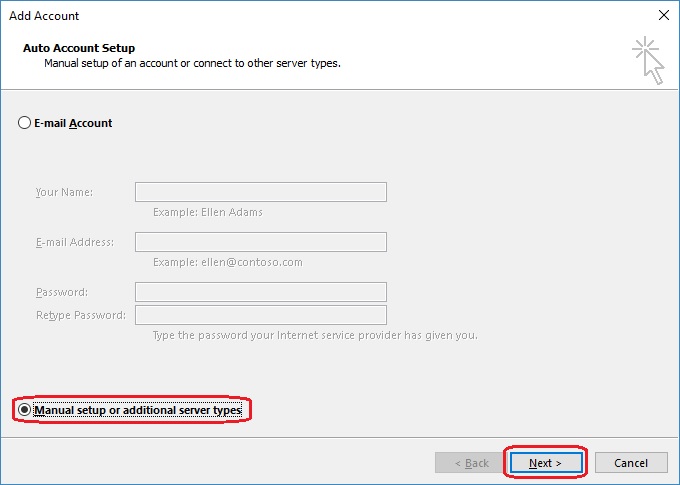
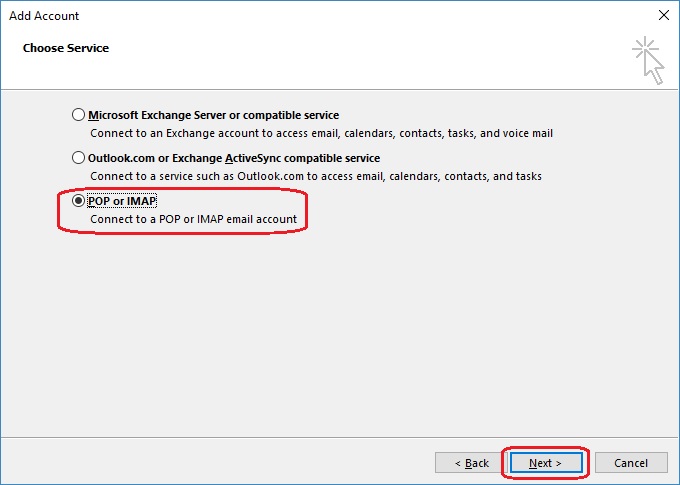
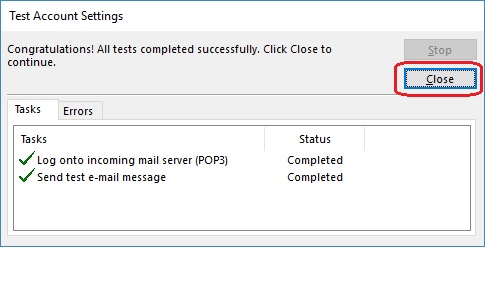
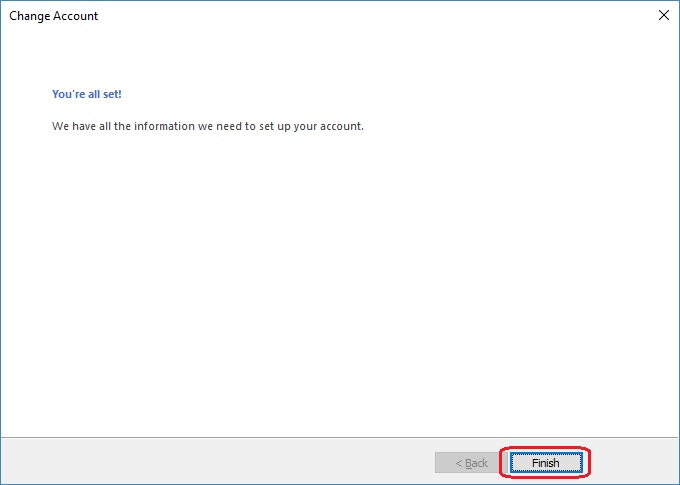
Start your email program (Outlook instructions are
here). Your email program and version may differ slightly.
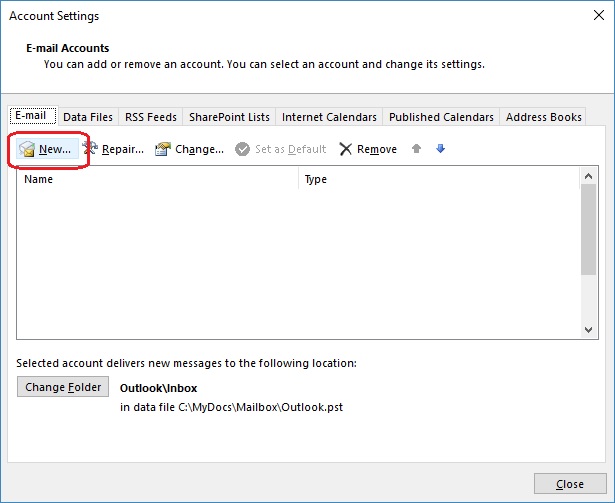
This screen will only show if there are any existing email accounts already
setup:
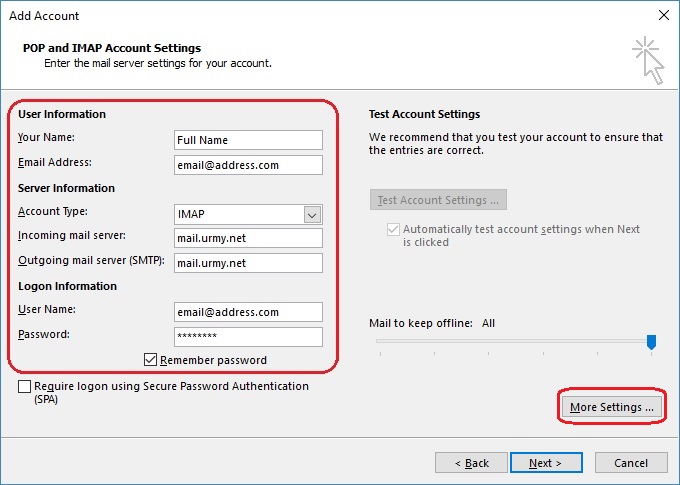
Select the Outgoing Server tab:
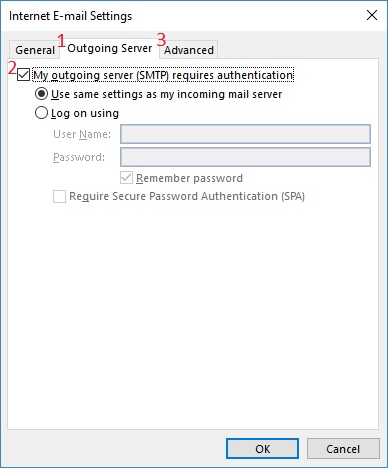
The select the Advanced tab:
Please email support@lyonscom.com
for assistance - just kidding! Please call us, we are here to help you!
Lyons Communications
Office: 503-488-5452
Cell: 503-319-5567